Bhakti Homes
  • Bhakti Homes
  • Home´s Manual
    • How to Practice
      • Sadhana
      • Kirtan
      • Deity Worship
      • Family Life
      • Youth
      • Children and Parenting
    • How to Share
      • Indirect Ways
        • Yoga & Meditation
        • Cooking Classes
        • Mantra Power
        • Ceremonies
      • Direct Ways
        • Sharing Krishna at Home
          • Sanga at Home
          • Sastra Groups
          • 3 hs Kirtan
          • Bhakti Vriksha
          • Guideline Videos for «home programs»
        • Going Out to Share
  • en Español
  • Social Network
  • Preguntas Frecuentes
  • Contact
Select Page

INTRODUCTORY MANTRAS TO HARE KRISHNA

PRABHUPADA PRANAM

nama om vishnu-padaya krishna-preshthaya bhu-tale

srimate bhaktivedanta-svamin iti namine

namas te sarasvate deve gaura-vani-pracarine

nirvisesha-sunyavadi-pascatya-desa-tarine

and then pray to Sri Panca-tattva who are the distributors of the maha-mantra:

PANCHA TATTVA PRANAM

śrī-kṛṣṇa-caitanya prabhu-nityānanda

śrī-advaita gadādhara

śrīvāsādi-gaura-bhakta-vṛnda

And then, begin chanting.

…..

TRANSLATION

PRABHUPADA PRANAM

I offer my respectful obeisances unto His Divine Grace A.C. Bhaktivedanta Swami Prabhupada, who is very dear to Lord Krishna, having taken shelter at His lotus feet.

Our respectful obeisances are unto you, Oh spiritual master, servant of Sarasvati Gosvami.

You are kindly preaching the message of Lord Caitanyadeva and delivering the Western countries, which are filled with impersonalism and voidism.

PANCHA TATTVA PRANAM

I offer my respectful obeisances unto Sri Caitanya Mahaprabhu, Lord Nityananda, Sri Advaita,

Gadadhara Pandit, Srivas Thakur, and all the devotees of Lord Caitanya.

468
How to Translate this website to your language?

how to translate Youtube videos ON COMPUTER

Step 1

Press the “Settings Wheel” at the bottom right on the video.

Step 2

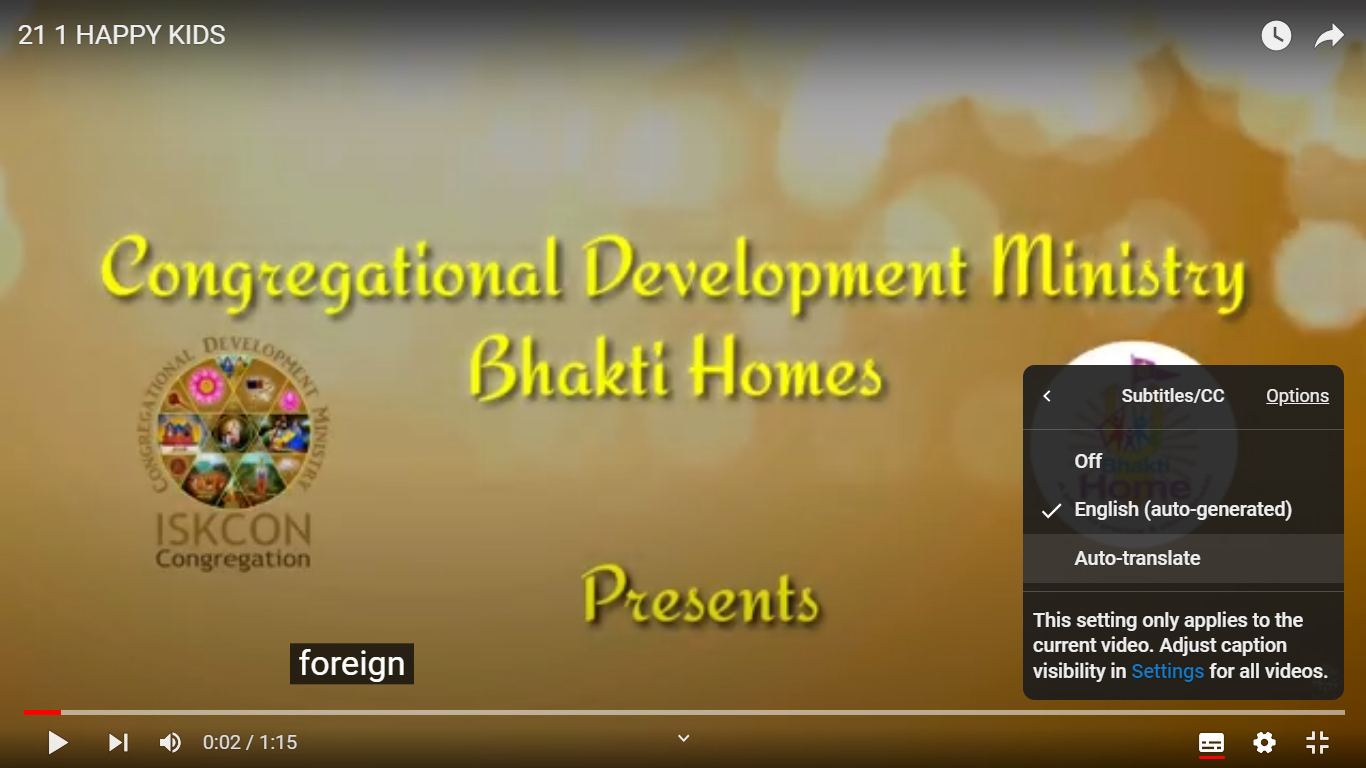
Select the “Captions (CC)” (or “Subtitles”) option

Step 3

If the option is available, choose “Auto- Translate” and go to Step 7. If not, select “English (Auto Generated)” and keep reading

Step 4

Press the “Settings Wheel” again at the bottom right of the video.

Step 5

Select the “Captions CC” option again

Step 6

Choose “Auto-Translate“

Step 7

Choose Your Language