Bhakti Homes
  • Bhakti Homes
  • Home´s Manual
    • How to Practice
      • Sadhana
      • Kirtan
      • Deity Worship
      • Family Life
      • Youth
      • Children and Parenting
    • How to Share
      • Indirect Ways
        • Yoga & Meditation
        • Cooking Classes
        • Mantra Power
        • Ceremonies
      • Direct Ways
        • Sharing Krishna at Home
          • Sanga at Home
          • Sastra Groups
          • 3 hs Kirtan
          • Bhakti Vriksha
          • Guideline Videos for «home programs»
        • Going Out to Share
  • en Español
  • Social Network
  • Preguntas Frecuentes
  • Contact
Select Page

STEP 1 – MAKE A PLAN

If you or a group of friends are feeling inspired to start regular sessions to cultivate Bhakti, then it would be beneficial to make a plan and stick with it.

Commitment can be a scary word but it is definitely necessary to harness wonderful relationships.

Even monthly programs have been shown to have a positive effect in the development of people´s Krishna Consciousness. If you or your team can manage weekly, bi-weekly or tri-weekly than that is fantastic!

But try to do at least once a month, otherwise it may lose momentum.

Of course anything is better than nothing so we don’t want to discourage programs that are less frequent. We have seen where a group of people arrange 6 programs in a year but put all their effort to make those events the best possible. That can be done with even one program a year.

Although the idea with cultivation is to have constant contact and to develop relationships with trust and kindness, various pockets of wonderful Sanghas are also created for the local communities.

468
How to Translate this website to your language?

how to translate Youtube videos ON COMPUTER

Step 1

Press the “Settings Wheel” at the bottom right on the video.

Step 2

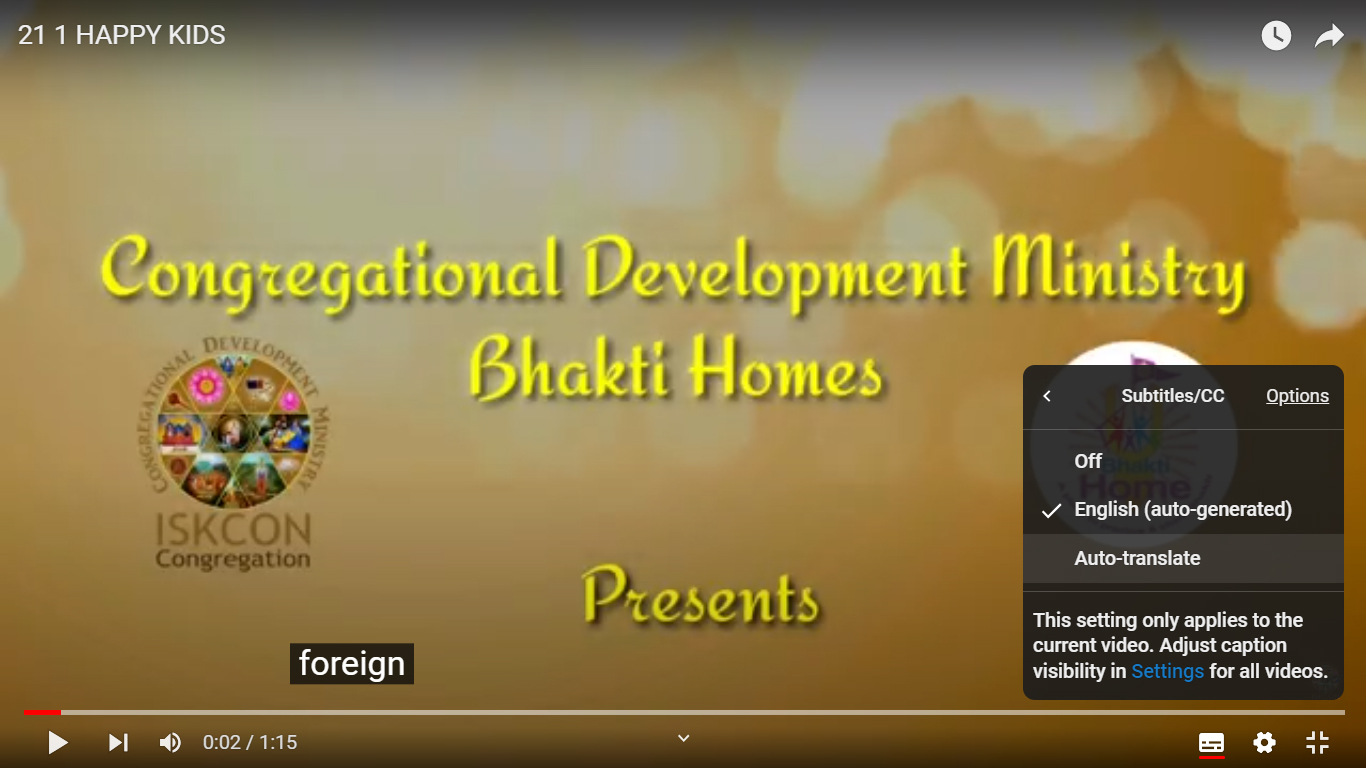
Select the “Captions (CC)” (or “Subtitles”) option

Step 3

If the option is available, choose “Auto- Translate” and go to Step 7. If not, select “English (Auto Generated)” and keep reading

Step 4

Press the “Settings Wheel” again at the bottom right of the video.

Step 5

Select the “Captions CC” option again

Step 6

Choose “Auto-Translate“

Step 7

Choose Your Language