Bhakti Homes
  • Bhakti Homes
  • Home´s Manual
    • How to Practice
      • Sadhana
      • Kirtan
      • Deity Worship
      • Family Life
      • Youth
      • Children and Parenting
    • How to Share
      • Indirect Ways
        • Yoga & Meditation
        • Cooking Classes
        • Mantra Power
        • Ceremonies
      • Direct Ways
        • Sharing Krishna at Home
          • Sanga at Home
          • Sastra Groups
          • 3 hs Kirtan
          • Bhakti Vriksha
          • Guideline Videos for «home programs»
        • Going Out to Share
  • en Español
  • Social Network
  • Preguntas Frecuentes
  • Contact
Select Page

STEP 4

The Roman poet Publius Ovidius Naso, known as Ovid says

“Dripping water hollows out stone, not through force but through persistence.”

We can’t force a certain realization or outcome but if we are persistent with our service then that’s when the magic happens.

Nowadays there are so many technological tools to stay connected and to cultivate relationships. Use whatever tools you think practical for your situation in order to stay in touch with your crowd.

If you have the ability to expand your crowd then do so, but that also isn’t necessary. Having a close-knit group can be very powerful in itself.

Maybe one of your guests will become a future host and naturally they will want to invite their circle of friends.

Your small group may organically grow exponentially. You never know.

The key is persistence.

If there is persistence then you will see a natural growth that may expand further than you can imagine.

Just keep at it and Krishna will do the rest.
468
How to Translate this website to your language?

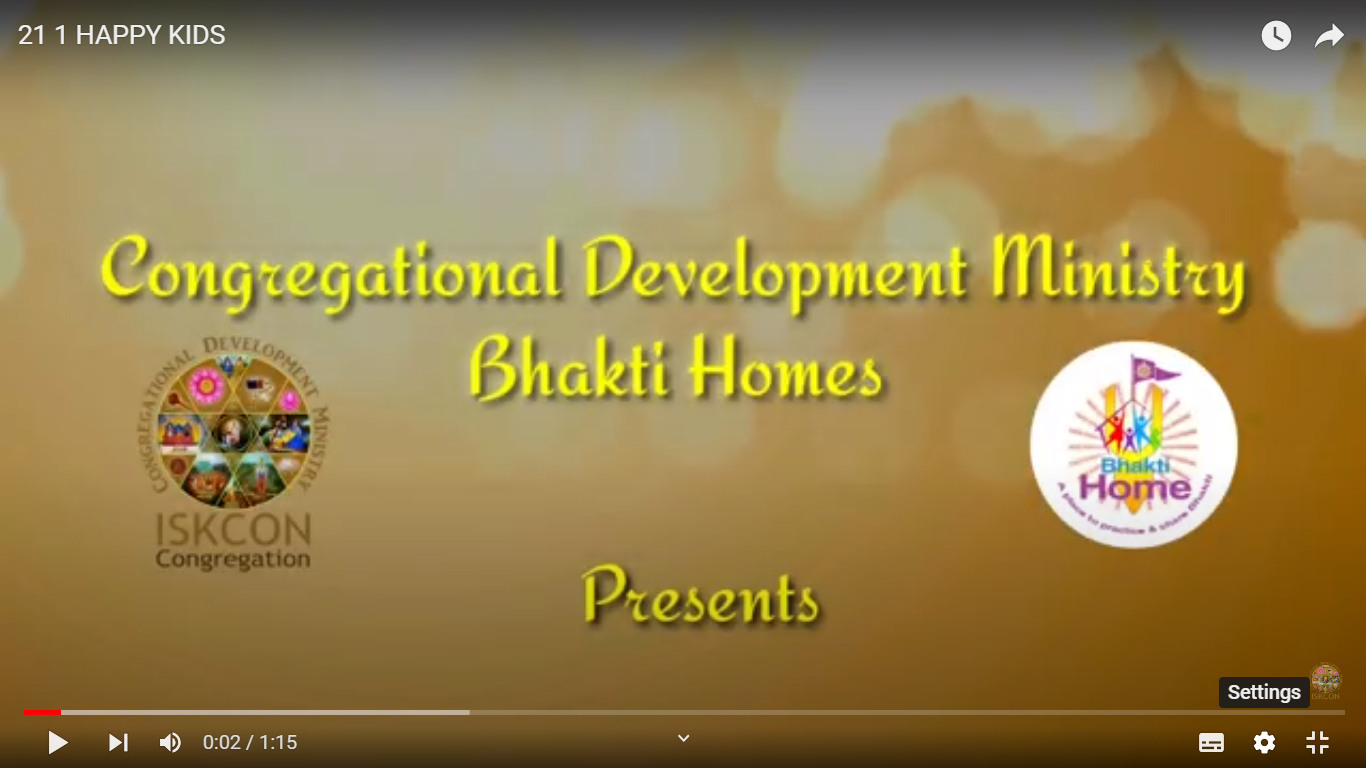
how to translate Youtube videos ON COMPUTER

Step 1

Press the “Settings Wheel” at the bottom right on the video.

Step 2

Select the “Captions (CC)” (or “Subtitles”) option

Step 3

If the option is available, choose “Auto- Translate” and go to Step 7. If not, select “English (Auto Generated)” and keep reading

Step 4

Press the “Settings Wheel” again at the bottom right of the video.

Step 5

Select the “Captions CC” option again

Step 6

Choose “Auto-Translate“

Step 7

Choose Your Language